


NEW

※本網站所提供產品規格內容如有變更,恕不另行通知。實際請以各廠牌官方最新公告資訊為主。
產品基本資訊
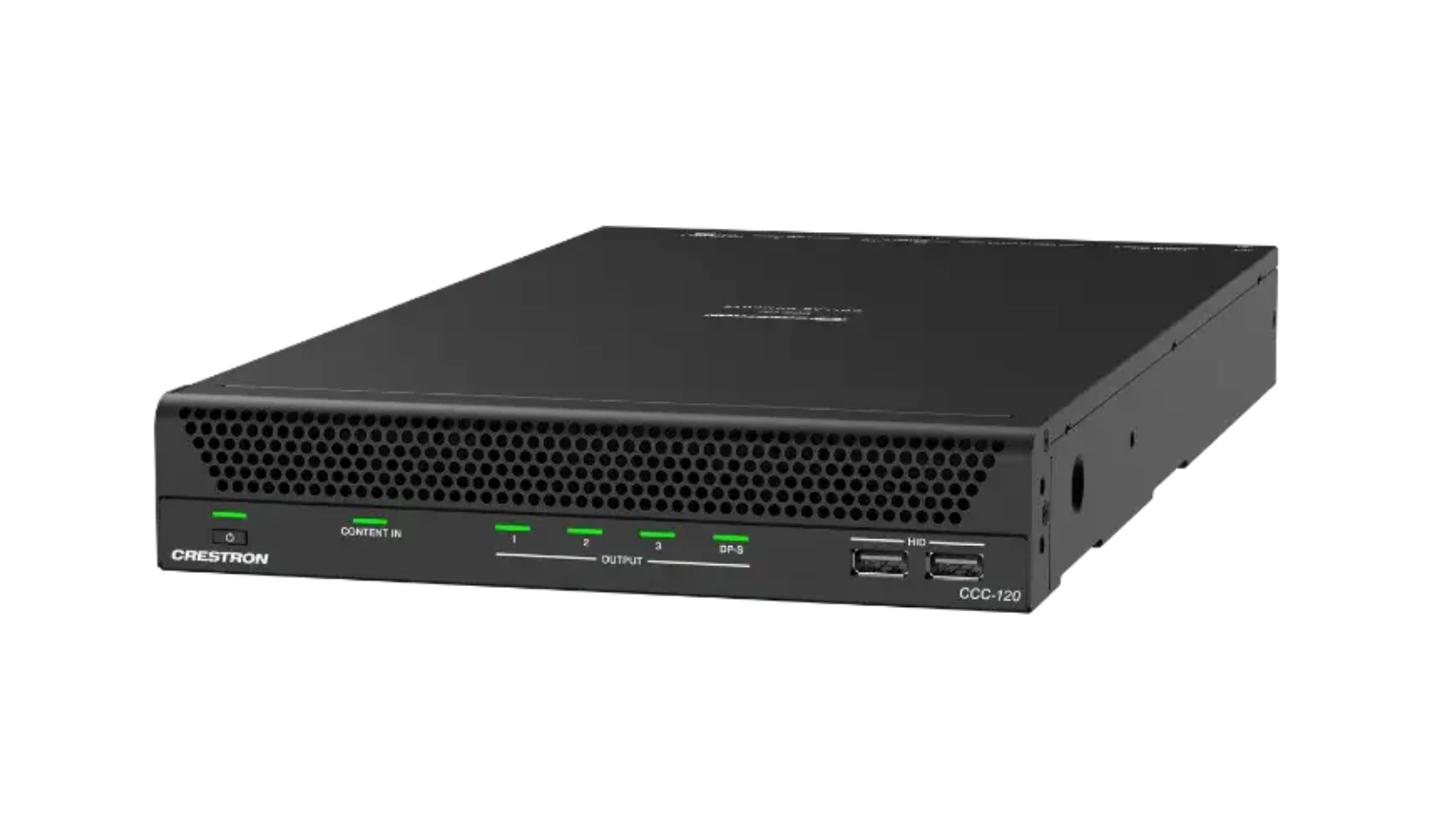
品牌:Crestron(快思聰)
型號/名稱: CCC-120-T
| Computer | |
| Processor | Intel® Core™ Ultra 7 155H |
| RAM | 32 GB Dual Channel DDR5 SODIMM |
| Storage | 256 GB |
| Graphics | Intel® ARC |
| Network |
1x Intel I219-LM 100/1000 Mbps Ethernet; 2x Intel I210 100/1000Mbps Ethernet |
| Operating System | Windows® 11 Enterprise IoT Edition OS |
| Communications | |
| Ethernet | 100/1000 Mbps |
| USB Type-C® (DisplayPort Alt Mode) (Rear) | HDCP 2.3, EDID, CEC, USB 3 |
| USB Type-A (Rear) | USB 3 10 Gbps |
| USB Type-A (Front) | USB 2 480 Mbps |
| Wi-Fi | Intel BE200 (Wi-Fi 7 2x2 MIMO) |
| Bluetooth® Communications | Bluetooth version 5.4 |
| DM | HDCP 2.3, EDID pass-through |
| HDMI | HDCP 2.3, EDID, CEC; Supports management of HDCP and EDID |
| Buttons and Indicators | |
| Power | (1) Push button with green LED backlight; For power on and off |
| Content In | (1) Green LED, indicates that a HDMI® source is detected |
| Output | (4) Green LEDs, indicates active connection(s) to displays |
| 1G (Rear) | (2) Bicolor green/amber and (2) Amber LEDs; Green/amber LED indicates Ethernet link status and connection speed; Amber LED indicates Ethernet activity |
| PoE+ | (1) Bicolor green/amber and (1) Amber LEDs; Green/amber LED indicates Ethernet link status and connection speed; Amber LED indicates Ethernet activity |
| Connectors | |
| USB Type-C (Rear) | (1) USB Type-C® 3.2 (Gen 2, 5V/3A) connector, female; USB 3 signal for connections to a 5K 21:9 display or USB 3 devices; DisplayPort™ single stream video inputs |
| HDMI (HDMI Out) | (3) HDMI 2.0b connectors, female; HDMI digital video/audio output |
| HDMI (Content In) | (1) HDMI 2.0b connectors, female; HDMI digital video/audio input |
| USB Type-A (Rear) | (5) USB 3 Type-A 10Gbps connector, female; Connects to cameras, microphones, DSPs, and accessories |
| USB Type-A (Front) | (2) USB 2 Type-A connector, female; Connects to a keyboard, mouse for system configuration |
| DM | (1) 8-pin RJ-45 yellow connector, female, shielded; DM® input port for connection to a DM Essentials transmitter |
| LAN (1G) | (2) RJ-45 connectors, female; 100/1000 Mbps 100BASE-TX/1000BASE-T Ethernet Ports |
| LAN (PoE+) | (1) RJ-45 connectors, female; PoE+ PSE (power sourcing equipment) port, IEEE 802.3at Type 2 (30 W) compliant |
| ANT-A & ANT-B |
(2) SMA connectors for external Wi-Fi® antennas; Wi-Fi antennas included with 6.56 ft (2 m) cables |
| Power | |
| Power | 105 W Idle, 126 W typical, 162 W maximum, 100–240VAC |
| Environmental | |
| Temperature | 32° to 104°F (0° to 40°C) |
| Humidity | 10% to 95% RH (noncondensing) |
| Heat Dissipation | 360 BTU/hr Idle, 430 BTU/hr typical; 553 BTU/hr maximum |
| Construction | |
| Chassis | Metal, black finish, fan cooled; Vented front and rear |
| Mounting | Freestanding or wall/tabletop with the CCCA-CMK-110/120 |
| Dimensions | |
| Height | 1.72 in. (44 mm) |
| Width | 8.67 in. (220 mm) |
| Depth | 15.32 in. (389 mm) |
| Weight | 8.06 lb (3.66 kg) |
| Compliance |
Regulatory Model: M202504001 FCC Part 15 Class B, IC Class B, CE |
| Models |
CCC-110-T Crestron Collab Compute with the Intel® Core™ Ultra 5 for Microsoft Teams® Rooms Software CCC-110-Z Crestron Collab Compute with the Intel® Core™ Ultra 5 for Zoom Rooms™ Software CCC-120-T Crestron Collab Compute with the Intel® Core™ Ultra 7 for Microsoft Teams® Rooms Software CCC-120-Z Crestron Collab Compute with the Intel® Core™ Ultra 7 for Zoom Rooms™ Software |
| Available Accessories | For a list of available accessories, visit the CCC-120-T product page. |
聯絡我們Contact Us
如任何產品相關需求,歡迎您與我們聯絡(服務時間:平日9:00~18:00):
台北總公司(北北桃)
非營業時間電話1
0928-218-878張先生
非營業時間電話2
0920-261-363陳先生
基隆辦事處(基隆)
0926-848-256何先生
新竹辦事處(竹苗)
0938-604-538蘇先生
台中辦事處(中彰投)
0938-604-538蘇先生
南部辦事處(雲嘉)
0933-812-533駱小姐
台南辦事處(台南)
0984-449-886林先生
宜花辦事處(宜花)
0937-304-899陳先生
高雄辦事處(高屏東)
0984-449-886林先生
外島辦事處(金馬澎)
0927-227-520李先生
注意事項
為提供更佳服務品質,若您曾經有透過本公司LINE官方帳號、Facebook或是其他管道聯絡我們,請務必告知專員相關資訊,感謝您的配合!
請務必填寫有星號(*) 標示之欄位,送出後我們將三分鐘內與您聯繫
※ 客服服務時間 : 週一至週五 9:00~18:00
晟弘科技有限公司-LINE官方帳號
行動條碼

※如何加入好友?
方法(一) 開啟LINE主選單>加入好友>行動條碼 掃描左圖即可加入好友
方法(二) 點擊左方 Add Friends按鈕 即可加入好友
方法(三) 搜尋LINE ID:「@tya3953z」
有任何投影機、投影布幕或其他產品相關需求都歡迎透過LINE詢問。
我們會不定期分享產品相關訊息或優惠活動資訊,歡迎您將晟弘科技加為好友,隨時掌握我們的最新動態! : )